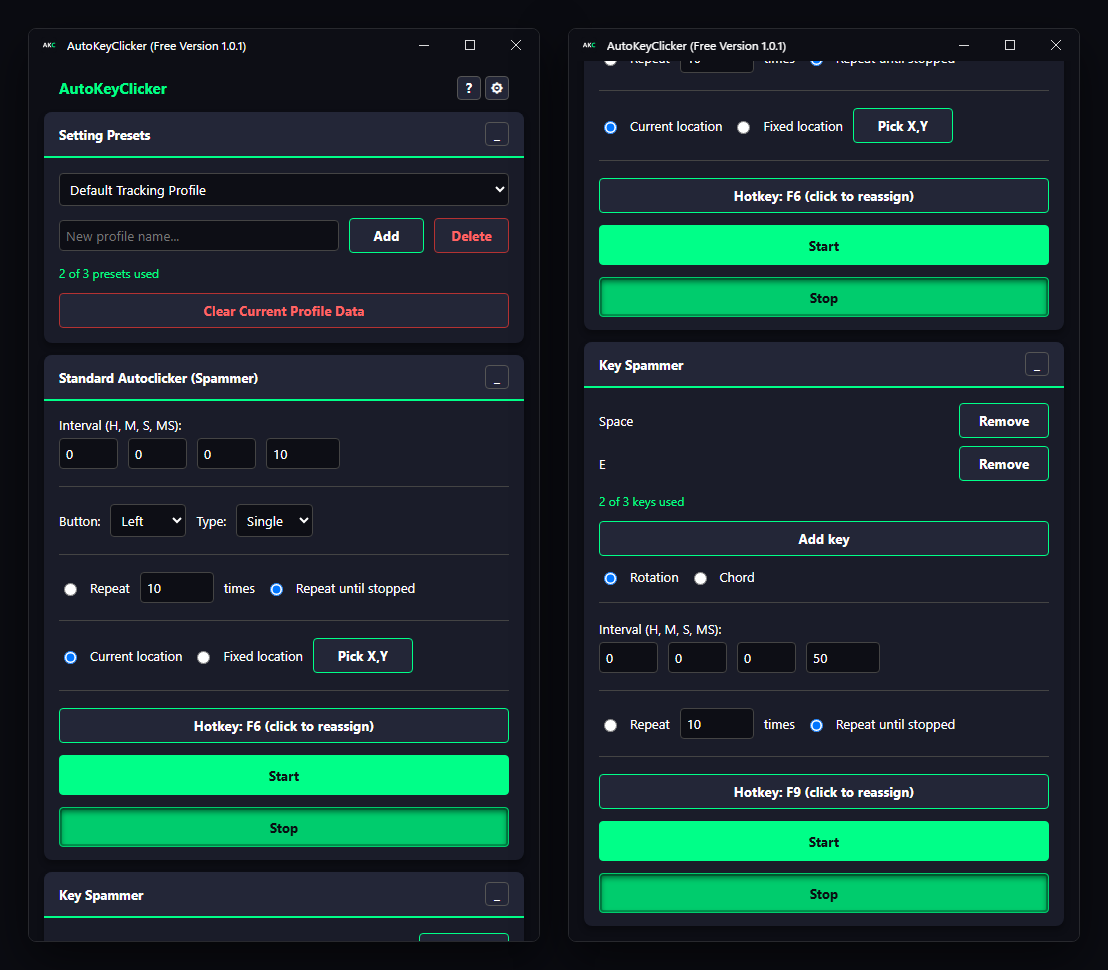
Built from the ground up in C++ for 3D environments. Experience true native coordinate tracking with zero mouse acceleration drift.
Native C++, low-level input hooks, and timing that does exactly what you set.
The interval you set is the interval you get, from hours down to a single millisecond — 180+ clicks per second at 5 ms, with no drift between clicks.
Records the exact physical pixels of your screen. When you play it back, it traces your exact path, ensuring flawless execution regardless of your resolution or monitor setup.
Unlike basic macros that use compressed wait times, our engine logs the exact microsecond of every action, guaranteeing your loop takes the exact same time to execute as it did to record.
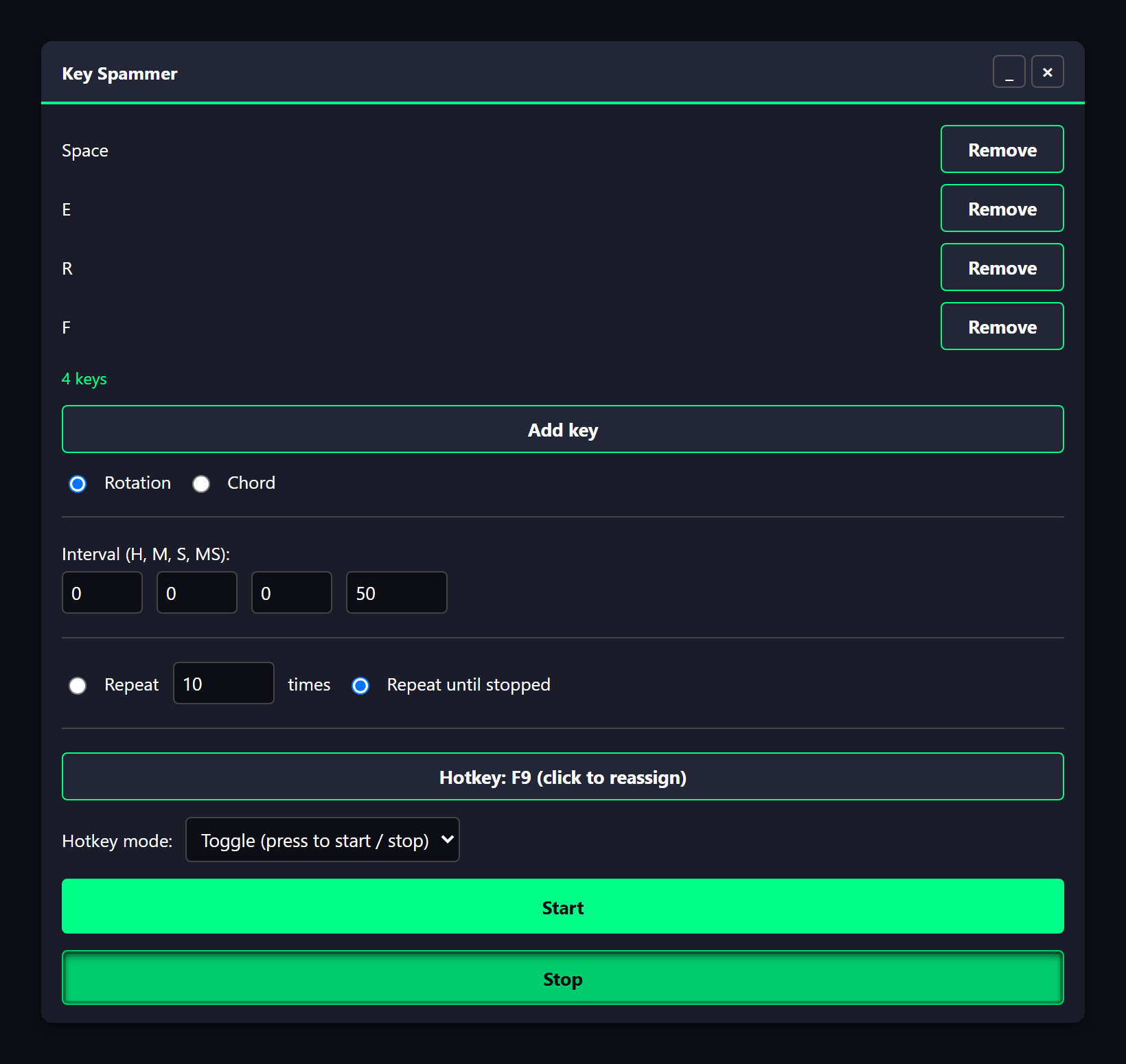
Presses the keys you choose over and over at your interval — up to 3 keys in Free, unlimited in Pro — and runs alongside the autoclicker without interfering.
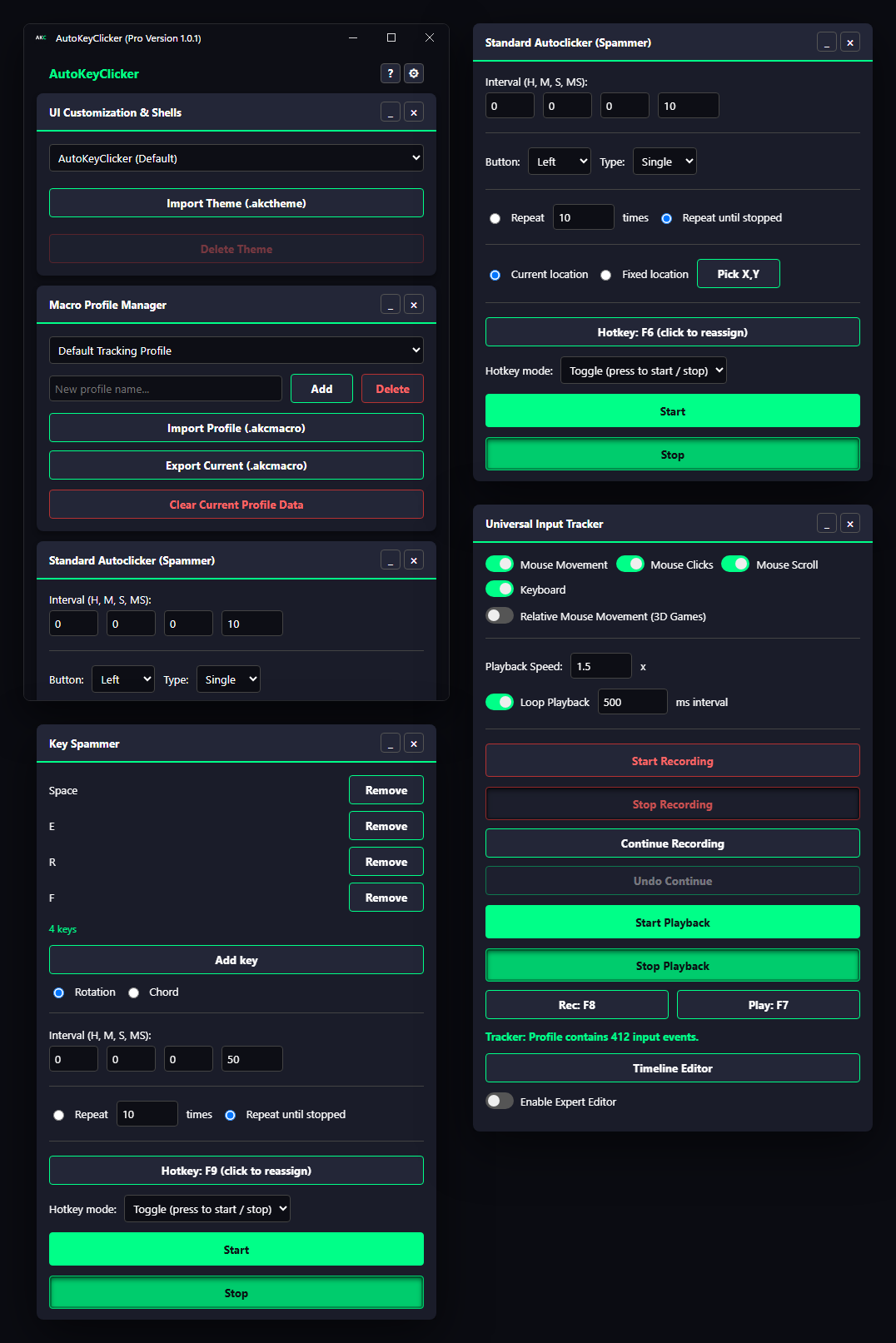
A look inside the ultimate native macro engine.
Add the keys you want pressed, pick the interval, and choose whether it repeats a set number of times or runs until you stop it. F9 starts and stops it from anywhere.
Intervals go from a few milliseconds for fast game inputs up to hours for long AFK loops.
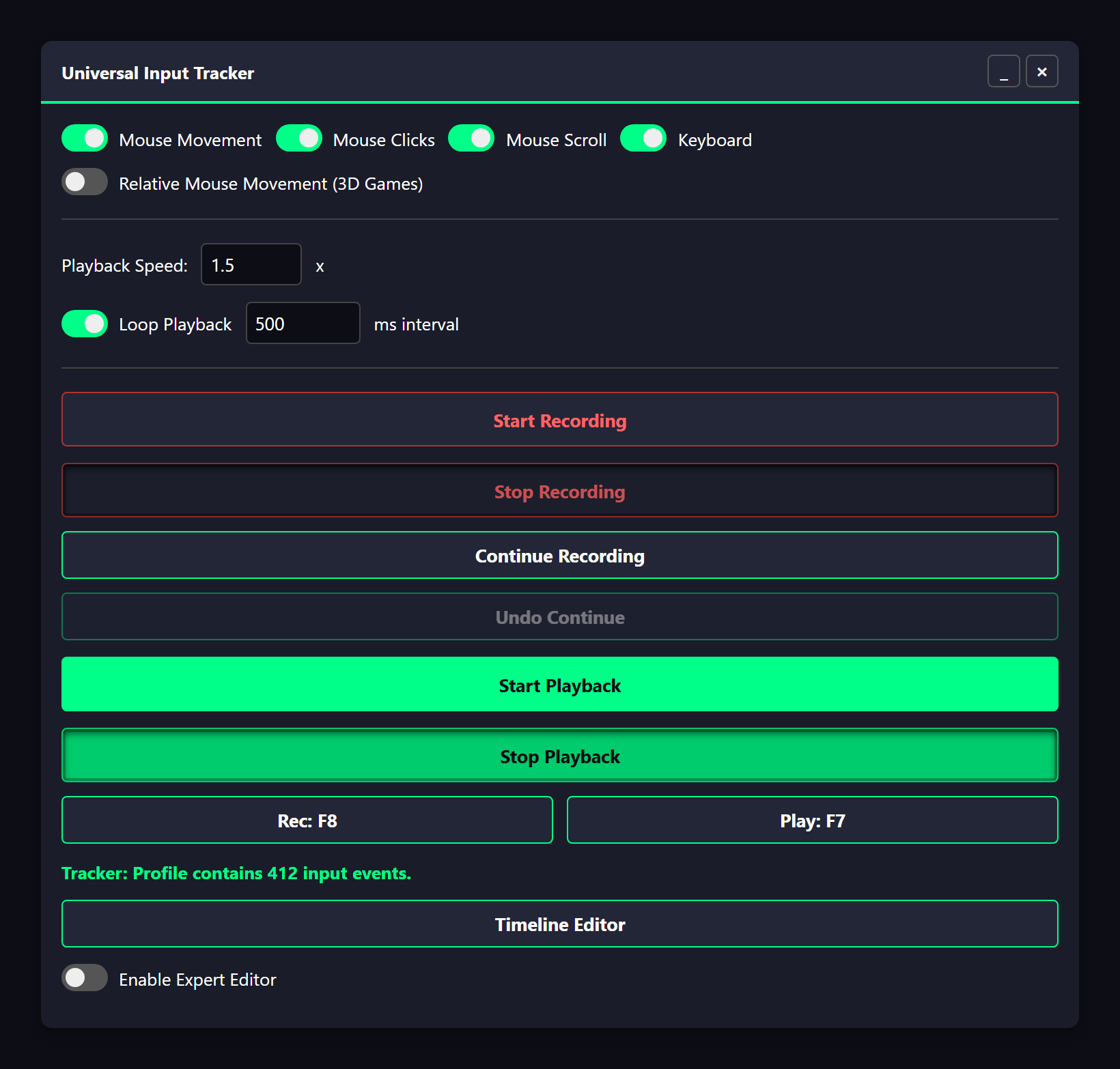
Choose what to capture — movement, clicks, scrolling, keys — and press F8. The macro traces the exact physical pixel path of your mouse, and F7 plays it back.
Want to speed up your farming route? Set the playback speed (1.5x, 2x and beyond) and loop it, keeping the same path and relative timing.
AutoKeyClicker is written in native C++ and uses low-level system input hooks, so it runs quietly in the background while you focus on your game.
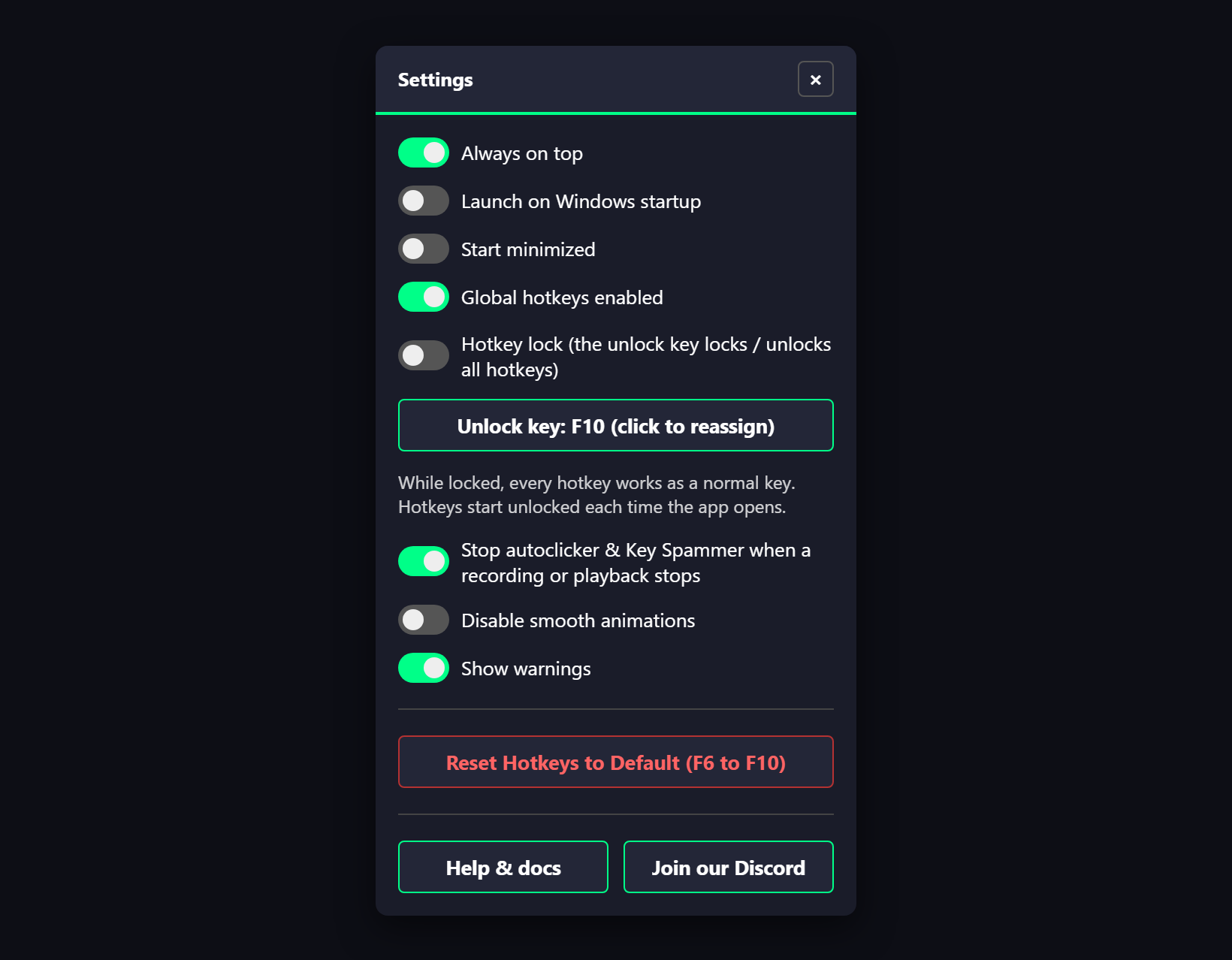
Start and stop everything with global hotkeys — F-keys by default, rebindable to any key or mouse button — and lock them with one key when you need those keys back.
Free is a complete, real autoclicker — no signup, no time limit, no watermark. Try it first. Upgrade to Pro whenever you actually need macro recording.
Mouse autoclicker, Key Spammer, hotkey rebinding, up to 3 setting presets. Nothing to buy, nothing to sign up for.
Windows 10 or 11 · macOS 10.15 or later (Windows setup · Mac setup)
Everything in Free, plus full macro recording & playback, hold-to-click hotkeys, unlimited profiles, themes, pop-out panels, and the expert event editor. $0.99/month or $9.99 for a lifetime license — see pricing.
One license, Windows or Mac (one computer at a time). Setup: Windows · Mac.
All downloads — every platform, the system requirements and setup.
Official download: https://autokeyclicker.app — the only place AutoKeyClicker is published. A copy from anywhere else is not from us.
Playing online? Many games don't allow autoclickers or macros, and some ban accounts that use them. Check a game's rules before using AutoKeyClicker with it (Terms).
Optional. In PowerShell, in the folder you saved the installer to, run (use the Pro file name for Pro):
Get-FileHash .\AutoKeyClicker-Free-Setup.exe -Algorithm SHA256
The Hash it prints must match exactly:
A18D7C30242853160B99CE16E3E0EAA9CF62EC8976CD71E128F05F9BA18DA50DEFA2A1006133FAB682FC063D6B140D541E24B353FC03BC6AA9171056B1AA01DDOn a Mac, in Terminal, in the folder you saved it to:
shasum -a 256 AutoKeyClicker-Free-Mac.dmg
It prints the hash in lowercase; the letters and digits must match:
83D4E20DA07E980A07760DAE4464871B77D117DC13D6171C3EC84B9A26BDB086FCBE33621759A9A20B7D334F747683B40709E794613F5F670A38DF5C49A65D34Every feature the app has, split honestly by tier.
| Feature | Free | Pro |
|---|---|---|
| Autoclicker | ✓ | ✓ |
| Key Spammer | Up to 3 keys | Unlimited keys |
| Hotkey rebinding | ✓ | ✓ |
| Hold-to-click hotkeys (runs only while held) | ✕ | ✓ |
| Universal Input Tracker (record/playback) | ✕ | ✓ |
| Setting presets / macro profiles | ✓ (3 max, settings only) | ✓ (unlimited, full macros) |
| Import / export .akcmacro | ✕ | ✓ |
| Themes | ✕ | ✓ |
| Pop-out panels | ✕ | ✓ |
| Expert event editor | ✕ | ✓ |
| Macro optimize | ✕ | ✓ |
One key, one computer. Pro is $0.99/month or a $9.99 one-time lifetime license.
Free forever, or Pro by the month or for life. Your key arrives by email right after checkout.
plus applicable tax
plus applicable tax
Already have a key? Download Pro and enter it on first launch.
Click a download button above. Your browser saves the installer, usually to your Downloads folder.
Double-click it and follow the prompts. Windows will ask for administrator permission — AutoKeyClicker needs it to send clicks and keystrokes to other programs.
The installer offers to start it as soon as it finishes. After that, AutoKeyClicker is in your Start menu.
The first time you run the installer, Windows will show a blue screen that says "Windows protected your PC." This is normal, and it isn't specific to this app — it appears for any program that isn't digitally signed with a paid certificate, which costs hundreds of dollars a year. We'd rather keep AutoKeyClicker cheap than pass that cost on to you.
To continue:
That's it — setup continues, and the app opens normally from then on.
AutoKeyClicker uses Microsoft Edge WebView2 to draw its interface. It's already installed on most Windows 11 PCs. If your window stays blank, install the free WebView2 Runtime from Microsoft and reopen the app.
Download the free version now — no account, no email, no time limit.